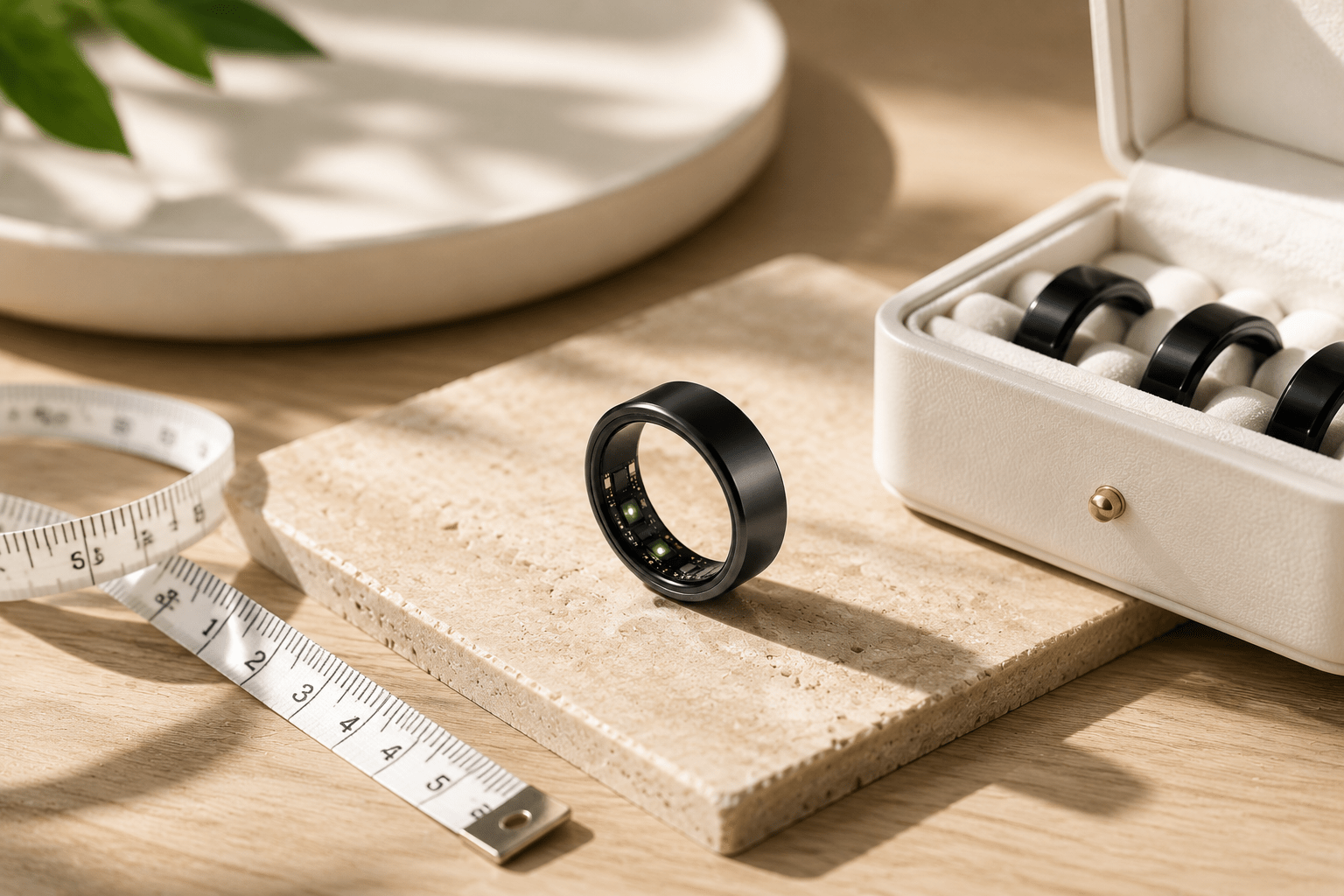
A smart ring should feel snug, not tight. It should stay in contact with your skin and remain stable during normal movement, without causing pain, numbness, tingling, or deep pressure marks. Use the measurements shown in the Wrongduck sizing image or sizing kit before ordering.

What Is the Correct Fit for a Smart Ring?
A well-fitted smart ring should:
- Sit securely at the base of your chosen finger
- Maintain gentle, consistent skin contact
- Stay in place when you move your hand
- Come off with light resistance rather than force
- Remain comfortable during normal daily wear
Smart rings contain sensors and may fit differently from ordinary rings. A familiar jewelry size is therefore only a starting point—compare your finger measurement with the Wrongduck sizing image or use the Wrongduck sizing kit.
Should a Smart Ring Be Tight or Loose?
The goal is a close fit without harmful pressure. A loose ring can rotate, lose consistent sensor contact, or slip off. A ring that is too tight can become uncomfortable as your fingers change size through the day.
Remove the ring if you notice pain, numbness, tingling, marked swelling, skin discoloration, or difficulty taking it off. Seek medical help if swelling or circulation concerns persist.
How to Choose Your Smart Ring Size
Use the Wrongduck sizing image or sizing kit whenever possible. Most Wrongduck rings use similar sizing, while their sensor shape can still make the fit feel different from ordinary jewelry.
- Choose the finger on which you expect to wear the ring.
- Try nearby sizes from the Wrongduck sizing kit.
- Move your hand, make a fist, type, wash your hands, and go about a normal day.
- Wear the sample for at least 24 hours, including sleep, if the manufacturer recommends it.
- Confirm that it stays secure and comfortable at different times of day.
If your measurement falls between two Wrongduck sizes, choose the larger size. A ring that is too small may not fit over the knuckle or may become uncomfortable, while the larger option allows more room for normal changes in finger size.

How to Measure Your Finger Without a Sizing Kit
A paper strip or non-stretch thread can provide an estimate, but it is less reliable than a model-specific sizing kit.
- Wrap the material: Place a narrow paper strip or non-stretch thread around the base of the intended finger.
- Check comfort: Keep it snug without squeezing, and make sure it can pass the widest part of your knuckle.
- Mark the overlap: Mark where the ends meet.
- Measure: Lay it flat and measure the length in millimeters.
- Compare: Match the circumference to the measurements shown in the Wrongduck sizing image.
Repeat the measurement two or three times and at different times of day. If the readings fall between two Wrongduck sizes, select the larger size; use the sizing kit if you want an additional fit check.

Why Finger Size Changes During the Day
Finger size is not constant. Temperature, exercise, fluid retention, sleep, and daily activity can all affect how a ring feels. A quick measurement may miss these changes, which is why extended trial wear gives a more useful fit check.
Which Finger Is Best for a Smart Ring?
Many smart rings can be worn on the index, middle, or ring finger, but the best choice depends on the product’s sensor layout and manufacturer guidance. Start with a finger that:
- Allows steady skin contact
- Feels comfortable during sleep and daily activities
- Does not have a knuckle much wider than the finger base
- Keeps the sensors in the orientation specified for your ring
When in doubt, use the finger and orientation recommended in the Wrongduck product instructions.
Common Smart Ring Sizing Mistakes
- Using a standard jewelry size alone: smart-ring interiors and sensors can change the fit.
- Testing for only a few minutes: comfort can change between morning, activity, and sleep.
- Forcing a tighter fit for sensor contact: close contact should not cause pain or circulation symptoms.
- Ignoring the chosen finger: different fingers—and opposite hands—may need different sizes.
- Ignoring the Wrongduck size guide: compare your measurement with the sizing image and choose the larger Wrongduck size when between two options.
What If the Ring Feels Too Tight or Too Loose?
If it feels too tight
- Remove it before swelling increases.
- Try another finger or a larger sample from the correct sizing kit.
- Do not continue wearing it through pain, numbness, tingling, discoloration, or significant swelling.
If it feels too loose
- Check whether it rotates freely or leaves a visible gap from the skin.
- Try another finger or a smaller sample, following model-specific guidance.
- Confirm the fit again over a full day before ordering.
Smart Ring Fit Checklist Before Buying
- Use the Wrongduck sizing image or sizing kit.
- Test the intended finger, not just your usual ring finger.
- Check the fit during ordinary tasks and sleep.
- Confirm secure sensor contact without painful pressure.
- Choose the larger Wrongduck size when your measurement is between two sizes.
Get the Wrongduck Smart Ring Sizing Kit or explore Wrongduck smart rings.
Frequently Asked Questions
How tight should a smart ring be?
It should feel snug and stay in contact with your skin, but it should not cause pain, numbness, tingling, discoloration, or deep pressure marks.
Can I wear a smart ring on any finger?
That depends on the model. The index, middle, and ring fingers are common choices, but follow the manufacturer’s guidance for sensor orientation and accuracy.
Should I size up or down?
For Wrongduck rings, choose the larger size when your measurement falls between two sizes. This helps avoid choosing a ring that is too small to pass over the knuckle or wear comfortably.
Is my normal ring size enough?
Not always. Sensors and internal ring shape can make a smart ring fit differently from ordinary jewelry, so compare your measurement with the Wrongduck sizing image or use the Wrongduck sizing kit.
Conclusion
The right smart ring fit is secure, stable, and comfortable—not painfully tight. Check the Wrongduck sizing image, account for normal finger-size changes, and choose the larger Wrongduck size when your measurement falls between two sizes.
Share:
Smart Ring Guide 2026: Everything You Need to Know Before Buying
Which Wrongduck Smart Ring Is Right for You? 2026 Model Comparison Guide