Ein Smart Ring kann mehr, als nur im Hintergrund Daten zu sammeln. Wenn Sie ein kleines Wearable suchen, das Ihnen zusätzlich ein sichtbares Display und Vibrationserinnerungen bietet, ist der Wrongduck SY1 Smart Ring einen genaueren Blick wert.
Dieser Leitfaden erklärt, wie sich das LED-Display und die einstellbaren Benachrichtigungen in Ihren Alltag integrieren – und worauf Sie vor der Größenwahl achten sollten.

Kurz gesagt: Der SY1 ist ein empfehlenswertes Modell, wenn Sie Wert auf ein LED-Display, einstellbare Vibrationsbenachrichtigungen und ein Ring-basiertes Alltags-Tracking legen. Prüfen Sie vor dem Kauf die Kompatibilität von Benachrichtigungen, die verfügbaren SY1-Größen und ob ein Ladezyklus von etwa 2–5 Tagen für Sie praktikabel ist.
Ein LED-Display und anpassbare Benachrichtigungen
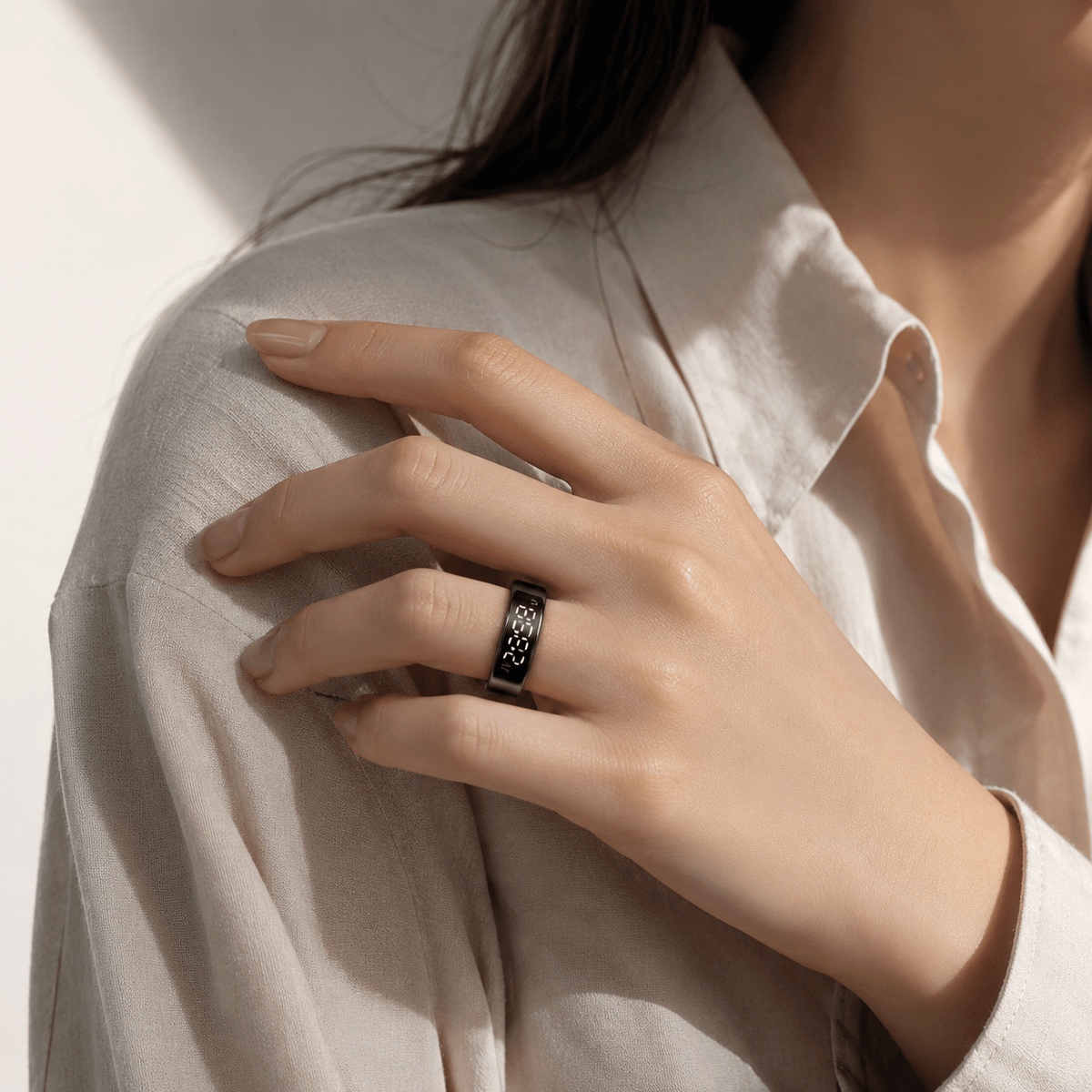
Der SY1 kombiniert ein LED-Display mit Vibrationsalarmen für eingehende Anrufe, Nachrichten und unterstützte App-Benachrichtigungen. Er wurde entwickelt, damit Sie wichtige Informationen auf einen Blick erfassen und Alarme direkt am Finger wahrnehmen können, ohne ein weiteres Display am Handgelenk tragen zu müssen.
Beide Einstellungen sind anpassbar: Das Display bietet die Helligkeitsstufen Niedrig, Mittel und Hoch, und die Vibration verfügt über die Intensitätsstufen Niedrig, Mittel und Hoch. So haben Sie die Freiheit, die für Sie angenehmste Einstellung zu wählen, statt auf einen festen Standard angewiesen zu sein.
Beginnen Sie mit einer Einstellung, die zu Ihrer Umgebung passt, und testen Sie diese im Alltag. Eine dezente Einstellung kann in einem ruhigen Raum vorzuziehen sein; eine stärkere Vibration ist eventuell besser spürbar, wenn Sie in Bewegung sind. Dies sind praktische Empfehlungen und keine Garantie, dass jede Benachrichtigung bemerkt wird.
Kompatibilität ist wichtig: Die Verfügbarkeit von Benachrichtigungen hängt von Ihrem Smartphone, den Berechtigungen und den durch die Begleit-App unterstützten Anwendungen ab. Gehen Sie nicht davon aus, dass jede App oder jeder Benachrichtigungstyp unterstützt wird.
Der SY1 im Alltag
Am Schreibtisch: Erinnerungen ohne lauten Alarm
Sie können Vibrationsalarme und persönliche Erinnerungen über die Begleit-App einrichten. Wenn Sie lieber eine spürbare Erinnerung statt eines für alle hörbaren Handy-Alarms wünschen, ist dies eine der nützlichsten Funktionen des SY1.
Der Ring ersetzt nicht Ihr Smartphone. Betrachten Sie ihn als eine zusätzliche Möglichkeit, unterstützte Benachrichtigungen wahrzunehmen – nicht als Versprechen für weniger Ablenkung oder als Ersatz für das Lesen und Beantworten von Nachrichten.
Nachts: Tracking im Ringformat
Der SY1 unterstützt Schlaf-Tracking, wobei die Schlafinformationen über die Begleit-App abrufbar sind. Für jemanden, der ungern eine Uhr zum Schlafen trägt, ist ein Ring eine interessante Alternative. Der Komfort hängt jedoch maßgeblich von der richtigen Passform ab.
Sorge, dass der Bildschirm nachts aufleuchtet?
Die Begleit-App des SY1 enthält einen geplanten Schlafmodus. Legen Sie Ihren Schlafzeitraum in der App fest, und das Display des Rings schaltet sich zu Beginn dieses Zeitraums automatisch dunkel. Ein Drücken des Rings während des geplanten Schlafmodus aktiviert das Display nicht.
Dies bietet eine Möglichkeit, das Display während der Schlafenszeit dunkel zu halten, anstatt sich nur auf eine niedrige Helligkeitseinstellung zu verlassen.
Tagsüber: Ein Blick auf Ihre Aktivität
Die Begleit-App liefert Informationen zu Schritten, Kalorien, Distanz und täglicher Bewegung sowie Trends zu Herzfrequenz und Blutsauerstoff. Nutzen Sie diese Funktionen zur allgemeinen Gesundheitsorientierung, nicht zur Diagnose oder für medizinische Entscheidungen.

Vier Punkte vor dem Kauf des SY1
1. Bestätigen Sie die benötigten Benachrichtigungen
Erstellen Sie eine kurze Liste Ihrer Prioritäten: eingehende Anrufe, Nachrichten, bestimmte App-Benachrichtigungen oder ein Vibrationsalarm. Prüfen Sie bei Wrongduck die aktuell unterstützten Funktionen, falls eine spezifische App für Ihren Kauf entscheidend ist. Nutzen Sie den Leitfaden zur Wrongduck Smart-Ring-App, um die modellspezifischen App-Informationen zu finden, anstatt eine App zu wählen, die für einen anderen Ring vorgesehen ist.
2. Wählen Sie Ihre Größe aus den SY1-Optionen
Der SY1 ist aktuell in den Größen 8–13 sowie in Schwarz, Silber und Gold erhältlich. Messen Sie den Finger, an dem Sie ihn tragen möchten, und vergleichen Sie Ihr Messergebnis mit der aktuellen Größentabelle auf der Produktseite.
Wrongduck empfiehlt, bei Maßen zwischen zwei Größen die größere zu wählen. Der Ring sollte sicher sitzen, ohne den Finger einzuschnüren. Sollte Ihr Maß außerhalb des SY1-Bereichs liegen, erzwingen Sie nicht die Passform einer verfügbaren Größe – suchen Sie nach Unterstützung oder ziehen Sie ein anderes Modell in Betracht.
Für Messschritte und Passformprüfungen lesen Sie unseren Leitfaden zu Größe und Passform von Smart Rings.
3. Planen Sie das Aufladen ein
Die aktuelle Spezifikation des SY1 gibt etwa 2–5 Tage reguläre Nutzung pro Ladung an. Betrachten Sie dies als Schätzung, nicht als garantierten Zeitraum: Ihre Einstellungen und Nutzung können beeinflussen, wie oft Sie laden müssen.
Das Paket enthält den Ring, ein tragbares Ladeetui, ein Ladekabel und ein Benutzerhandbuch. Überlegen Sie, ob dieser Laderhythmus zu Ihnen passt, insbesondere wenn Sie den Ring auch nachts tragen möchten.
4. Berücksichtigen Sie die laufenden Kosten
Die Kernfunktionen des SY1 erfordern kein monatliches Abonnement. Prüfen Sie vor der Bestellung den aktuellen Preis, die Versandkosten und etwaige optionale Extras auf der Produktseite, damit Sie die Gesamtkosten kennen.

Ist der Wrongduck SY1 das Richtige für Sie?
Nehmen Sie den SY1 in die engere Wahl, wenn Sie:
- Ein LED-Display einem ring ohne Display vorziehen.
- Einstellbare Vibrationsbenachrichtigungen und App-basierte Alarme oder Erinnerungen benötigen.
- Schlaf- und Alltagsaktivitäten tracken möchten, ohne eine Uhr zu tragen.
- Kernfunktionen ohne monatliches Abonnement wünschen.
Erwägen Sie eine andere Option, wenn Sie einen Ring ohne sichtbares Display bevorzugen, eine Größe außerhalb von 8–13 benötigen oder eine spezifische Benachrichtigungsfunktion voraussetzen, die nicht bestätigt wurde. Falls Sie eine medizinische Überwachung benötigen: Der SY1 ist kein Ersatz für ein medizinisches Gerät.
Sie wägen noch zwischen verschiedenen Stilen und Funktionen ab? Unser Wrongduck-Modellvergleich stellt den SY1 den anderen Ring-Optionen gegenüber.
Bereit für einen genaueren Blick?
Prüfen Sie die verfügbaren Farben, bestätigen Sie Ihre Größe und kontrollieren Sie die aktuellen Spezifikationen vor der Bestellung.
Häufig gestellte Fragen
Tippen oder klicken Sie auf eine Frage, um die Antwort aufzuklappen.
Produktinformationen geprüft anhand der aktuellen Wrongduck SY1-Produktseite am 16. September 2026. Dies ist ein Wrongduck-Produktleitfaden, kein unabhängiger Praxistest. Spezifikationen, Verfügbarkeit und App-Unterstützung können sich ändern.
Aktie:
Welcher Wrongduck Smart Ring ist der richtige für Sie? Vergleichsleitfaden für das Modell 2026